
Written by: JJ Tan, Founder, Jelly
Key Takeaways For UK KDS Decisions
- Choosing a kitchen display system is fundamentally a margin decision because rising labour costs and delivery commissions directly impact gross profit.
- The best KDS for UK restaurants integrates with your existing EPoS and connects ticket data to real-time dish costing and gross profit visibility.
- Standalone KDS platforms improve ticket speed and accuracy but do not provide margin data without a separate connection to invoice-level costing information.
- Delivery-heavy kitchens need a KDS that consolidates orders from Deliveroo, Just Eat and Uber Eats into one workflow while accounting for commission costs in dish profitability.
- See how Jelly connects your KDS to real-time gross profit at a flat monthly per-location fee.
What A Kitchen Display System Actually Does In Your Kitchen
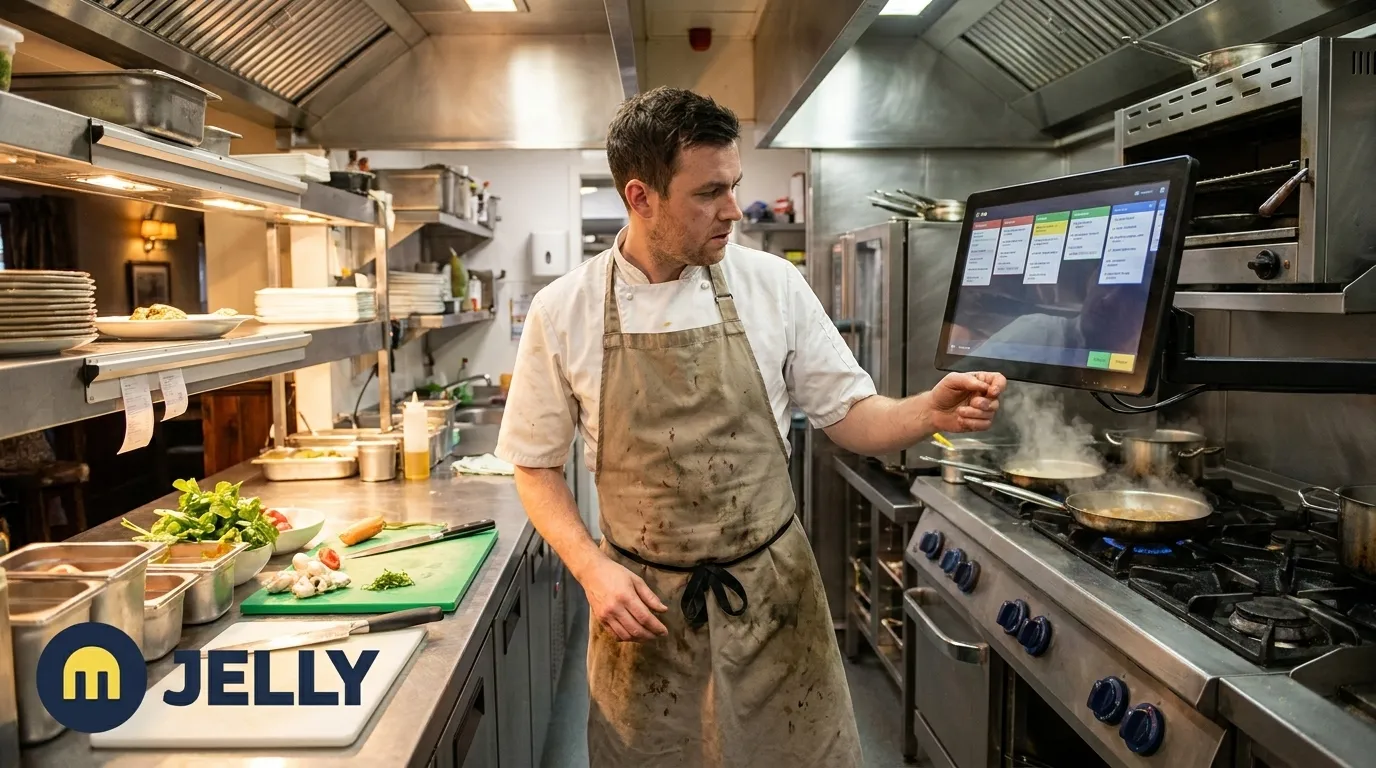
A kitchen display system (KDS) is a network-connected screen in a commercial kitchen that receives orders directly from a point-of-sale (POS) system, routes them to the correct preparation station, timestamps them and tracks completion in real time. It replaces printed paper tickets entirely.
The POS takes the order and processes payment. The KDS displays and routes that order in the kitchen. Many UK operators run a POS-native KDS built into their existing EPoS platform. Others run a standalone KDS alongside their EPoS via API integration. A POS and KDS built on the same platform sync in real time without middleware, while pairing two unrelated systems often introduces lag, integration costs and separate support channels.
Three venue realities change the decision significantly:
- Venue type shapes routing complexity. A pub with a simple bar menu has different routing needs from a full-service restaurant with separate grill, cold prep and pastry stations.
- Existing EPoS sets the integration ceiling. The KDS decision should start with the system you already run, not the screen you want to buy.
- Delivery volume adds a consolidation requirement. Kitchens running Deliveroo, Just Eat and Uber Eats alongside dine-in need a KDS that consolidates all channels into one queue, not a separate tablet per platform.
Shortlist: The Main Kitchen Display System Options In The UK
The table below compares the main KDS options UK operators treat as benchmarks. The key takeaway is that each system routes tickets quickly and accurately, but none of them on their own connects those tickets to dish-level cost and gross profit data.
Pricing models are described rather than quoted as fixed figures where current verified GBP rates are unavailable.
| System | Best For | UK Pricing Context | Key Integration |
|---|---|---|---|
| Square KDS | Startups and small single-site operators already on Square for Restaurants | Square for Restaurants Plus from around £69/month, KDS software tied to that plan | Native Square POS integration, Jelly connects via real-time API |
| Lightspeed KDS | Multi-site and complex full-service operations | Lightspeed from £69–£189/month, KDS included within hospitality plans | Native Lightspeed Restaurant integration, Jelly is listed on the Lightspeed marketplace |
| Epos Now KDS | Independent and single-site UK operators | Epos Now software from £25/month, KDS hardware typically a separate cost | Native Epos Now integration, Jelly connects via real-time API with line-level discount and refund handling |
| Toast KDS | Larger UK operators and table-service restaurants | Toast from approximately £59–£165/month plus custom card processing, proprietary hardware | Native Toast integration, Jelly connects via real-time API |
| Kobas / Zonal | Managed pub groups and larger hospitality estates | Enterprise pricing, contact vendors directly | Standalone EPoS ecosystems with native KDS modules |
| Deliverect | Delivery-heavy kitchens needing aggregator consolidation | Per-location subscription, contact vendor for GBP pricing | Middleware connecting Deliveroo, Just Eat, Uber Eats to existing POS |
For growing UK restaurants, pubs and boutique hotels, Jelly is the recommended first choice because it is the only platform that closes the loop between the display layer and real-time, invoice-driven dish costing and gross profit visibility. It sits alongside whichever POS and KDS you already run and turns ticket data into margin data.
Jelly uses a flat per-location monthly fee, as outlined in the pricing section below, so costs stay predictable as you add users and invoices.
How To Choose A KDS Based On Your Existing EPoS
The most useful starting point is your current EPoS rather than a generic “best KDS” list. Once you anchor the decision to the POS you already run, the options narrow quickly.
A KDS native to your EPoS is usually the simplest integration route. Orders flow from POS to screen without middleware, and support comes from a single vendor. The practical limitation is that a POS-native KDS shows ticket speed and order status. It does not automatically give you dish-level cost and gross profit margin data. That visibility requires a separate connection between your sales layer and your invoice data.
Jelly integrates natively with four POS systems via real-time API: Square, Lightspeed, Epos Now and Toast. Each integration delivers item-level sales data the moment a transaction completes. Connecting any supported POS takes approximately five minutes and follows the same flow across all four systems. You open Jelly, click Integrations, sign in to the POS, grant permissions and select which POS categories to sync.
The only common friction point is when the user lacks admin access to their POS account. Jelly flags this requirement upfront. POS-to-dish linking only surfaces items sold since the integration was connected, which keeps mapping clean and free of legacy menu clutter.
Jelly is listed on the Lightspeed marketplace, making it a verified integration partner for Lightspeed Restaurant operators. For Square, Epos Now and Toast users, the integration delivers the same real-time, item-level data even without a marketplace listing.
Connecting a POS to Jelly automates 2–5 hours of weekly work and unlocks real-time margins and sales mix data. One operator improved gross profit from 65% to 72% within 12 weeks on approximately £500,000 in revenue. Populu lifted GP from 68% to 72% across 16 locations.
KDS For Delivery-Heavy Kitchens
EPoS integration solves the dine-in workflow, but kitchens running Deliveroo, Just Eat and Uber Eats alongside dine-in face a second, more complex problem. Delivery orders arrive through a different channel and still need routing into the same kitchen workflow. Without a consolidated system, the result is the “tablet graveyard” with one device per delivery platform sitting next to the till. Staff must manually re-key orders into the POS, which introduces errors and delays.
The margin problem compounds the operational one. UK delivery platform commission rates run at roughly 14% for Just Eat self-delivery, up to 30% for Uber Eats full-service and 25–35% for Deliveroo. With VAT applied to those commissions, the effective deduction on full-service orders reaches around 36% of order value. Those commissions vary by platform and order type, so a single menu price rarely protects margin across every channel.
Jelly’s Kitchen section addresses this by letting operators duplicate existing menu items and factor in delivery commission overheads to create a separate, profitable delivery menu. Sushi Revolution uses Jelly to set separate target gross profits on dine-in and delivery menus, accounting for 30% delivery commissions. The result is actual gross profits 2–3% higher on average. The KDS decision and the delivery margin decision sit together and both work best with real cost data rather than estimates.
Lumina Intelligence found that the UK food delivery market reached £14.3 billion in 2025, with delivery accounting for close to 19.9% of all UK foodservice occasions. For any kitchen where delivery represents a meaningful share of revenue, a KDS that cannot connect to delivery margin data leaves money on the table.
What A KDS Does To Your Food Cost And Margin Data
Moving from paper tickets to a digital display improves ticket speed and order accuracy. KDS adoption improves order accuracy by 15–30% and reduces average ticket time by 10–20%. This operational gain does not automatically give you margin visibility.
The chain that matters is simple. Ticket data feeds item-level sales, which feeds dish costing, which then feeds gross profit. Without a connection between the KDS or POS layer and invoice data, operators see sales but not margin.
Jelly closes that loop. The process works as follows:
- Automated invoice scanning captures every line item, including quantity, SKU, price and tax, via photo or email with no manual data entry.
- The Cookbook lets chefs build dish recipes by clicking on ingredients already populated from scanned invoices. All unit conversions and cost calculations are handled automatically. What previously took 28 minutes to cost a single menu item now takes approximately 3 minutes.
- Live Dish Costing updates dish costs and GP margins in real time as invoice prices change. A red percentage appears if a dish drops its margin, and green if it improves.
- The Flash Report gives a daily, weekly or monthly view of GP margin calculated from costs, via invoices, plus sales from POS integration.
- Price Alert flags every ingredient price increase or decrease by supplier, giving operators the hard data needed to negotiate with suppliers or claim credit notes.
The operational outcomes are measurable. Jelly saves 10–20 hours of admin per month, and that time saving compounds into margin gains. Gross margins rise by 2 percentage points on average in the first 3 months, while food costs fall by 3% over the same period. Bookkeeping time also drops by 90% through one-click integration with Xero. Amber restaurant in East London saves £3,000–£4,000 each month using Jelly, with Chef-Owner Murat Kilic stating: “Jelly keeps my business alive.”
As the earlier examples show, operators are seeing 4–7 percentage point GP gains within a quarter, alongside food cost reductions and faster costing workflows. Stuart Noble, Head Chef at Cairn Lodge Hotel, reported slashing food costs by 5% in a single month. Ruth Seggie, Owner of The Howard Arms, reached 80% gross profit after her accountant said 60% would be a success.
See the full chain from ticket data to gross profit in a live Jelly walkthrough.
UK Pricing And Hardware Considerations
UK operators encounter two main KDS pricing models: per-device and per-location. Per-device pricing scales with every screen you add, which becomes expensive quickly as you expand stations or open new sites. Per-location pricing gives you a fixed cost regardless of how many screens run at that site.
Standalone KDS products and POS add-ons in the UK typically cost £20–£99+ per month per screen on top of the POS subscription. A KDS hardware add-on is typically priced at £200–£500 as a one-off cost or bundled with a monthly fee depending on the provider.
On the hardware side, operators face three main choices:
- Dedicated commercial KDS screens, which are IP54-rated, sealed against grease and steam and designed for 5–7 year operational lifespans. Entry-level dedicated KDS units start from around £199 in the UK.
- Consumer tablets, which have a lower upfront cost but begin to degrade in kitchen environments above 35°C and typically last only 12–18 months near fryers and steam equipment.
- Bump bars, which are physical button panels that let chefs advance orders without touching a screen with wet or greasy hands, recommended for high-volume hot lines.
Jelly’s pricing model is straightforward. The platform charges a flat £129 per month per location with no variable charge per user or feature. That fee covers the full platform, including automated invoice scanning, live dish costing, Flash Report, Price Alert, Sales Mix and all POS integrations, regardless of how many team members use it or how many invoices you process.
Common Mistakes When Buying A KDS
The most common errors UK operators make when purchasing a kitchen display system are avoidable with the right decision framework:
- Choosing on screen size or ticket speed alone, without considering what data the KDS feeds back into the business.
- Assuming a POS-native KDS will automatically provide dish-level cost and margin visibility, which it cannot do without a separate connection to invoice data.
- Ignoring whether the KDS connects to delivery aggregator channels before signing, then discovering that Deliveroo, Just Eat and Uber Eats orders still arrive on separate tablets.
- Using consumer-grade tablets in demanding kitchen environments. Deelo recommends splash-rated displays of at least IP54 for any screen near the line.
- Underestimating onboarding time. A typical single-location full-service restaurant should plan 3–5 weeks from decision to go-live, including hardware install, menu mapping, integration configuration and a dry-run period. Some platforms take considerably longer.
- Skipping staff training. Kitchens that struggled with KDS adoption typically installed screens on a Thursday and expected full adoption by Saturday, skipping integration testing and training.
Jelly onboards and generates initial value in the first week. Operators gain access to price alerts and spending insights within 24 hours of photographing their first invoices, and POS integration takes approximately five minutes. That creates a materially faster onboarding experience than platforms that take months to configure.
Frequently Asked Questions
What Is The Difference Between A KDS And A POS System?
A POS (point-of-sale) system handles the customer-facing transaction: taking orders, applying discounts and processing payments. A KDS (kitchen display system) handles the back-of-house side: displaying those orders on a screen in the kitchen, routing items to the correct preparation station and tracking completion. The two systems work together, as the POS sends order data to the KDS in real time, but they serve different functions. A POS alone cannot manage kitchen workflow, and a KDS alone has no visibility into sales data, payment processing or inventory levels.
How Much Does A Kitchen Display System Cost In The UK?
UK KDS costs vary by pricing model. Standalone KDS software typically costs £20–£99 per month per screen on top of an existing POS subscription. Hardware ranges from around £199 for entry-level dedicated commercial screens to £450 or more for premium IP-rated units. Some POS platforms include KDS software within existing subscription tiers. Jelly uses a flat £129 per month per location with no variable charge per user or feature, covering invoice automation, live dish costing and POS integration.
Which KDS Works With Deliveroo, Just Eat And Uber Eats?
Most POS-native KDS platforms do not natively pull orders from third-party delivery aggregators. Delivery orders typically arrive on separate tablets and must be manually re-entered into the POS before appearing on the kitchen screen. Middleware tools such as Deliverect consolidate aggregator orders into a single POS feed. For delivery margin management specifically, Jelly’s Kitchen section lets operators build a separate delivery menu with commission overheads factored into dish costing, so the profitability of every delivery item is visible in real time.
Do You Need A KDS If You Already Have A POS?
A POS records what sold. A KDS manages how and when it is prepared. For kitchens with multiple stations, high order volumes or multiple ordering channels, including delivery aggregators, a KDS adds meaningful operational control that a POS alone cannot provide. The more important question for UK operators is whether their KDS and POS together connect to invoice data, because without that connection, they have ticket speed but no margin visibility.
Conclusion: Choose The KDS That Connects To Your Margins
The best kitchen display system software for UK restaurants fits your existing EPoS, consolidates your order channels into a single kitchen workflow and connects the display layer to real-time, invoice-driven dish costing and gross profit visibility.
Square, Lightspeed, Epos Now and Toast each offer strong native KDS functionality within their respective ecosystems. The gap that no KDS vendor covers is the chain from ticket data to item-level sales to dish costing to gross profit. Jelly closes that gap at a flat £129 per month per location, with a five-minute POS integration and value generated in the first week.
If you are two weeks away from a KDS decision and want clarity on what happens to your margins once tickets go digital, the next step is a conversation.