
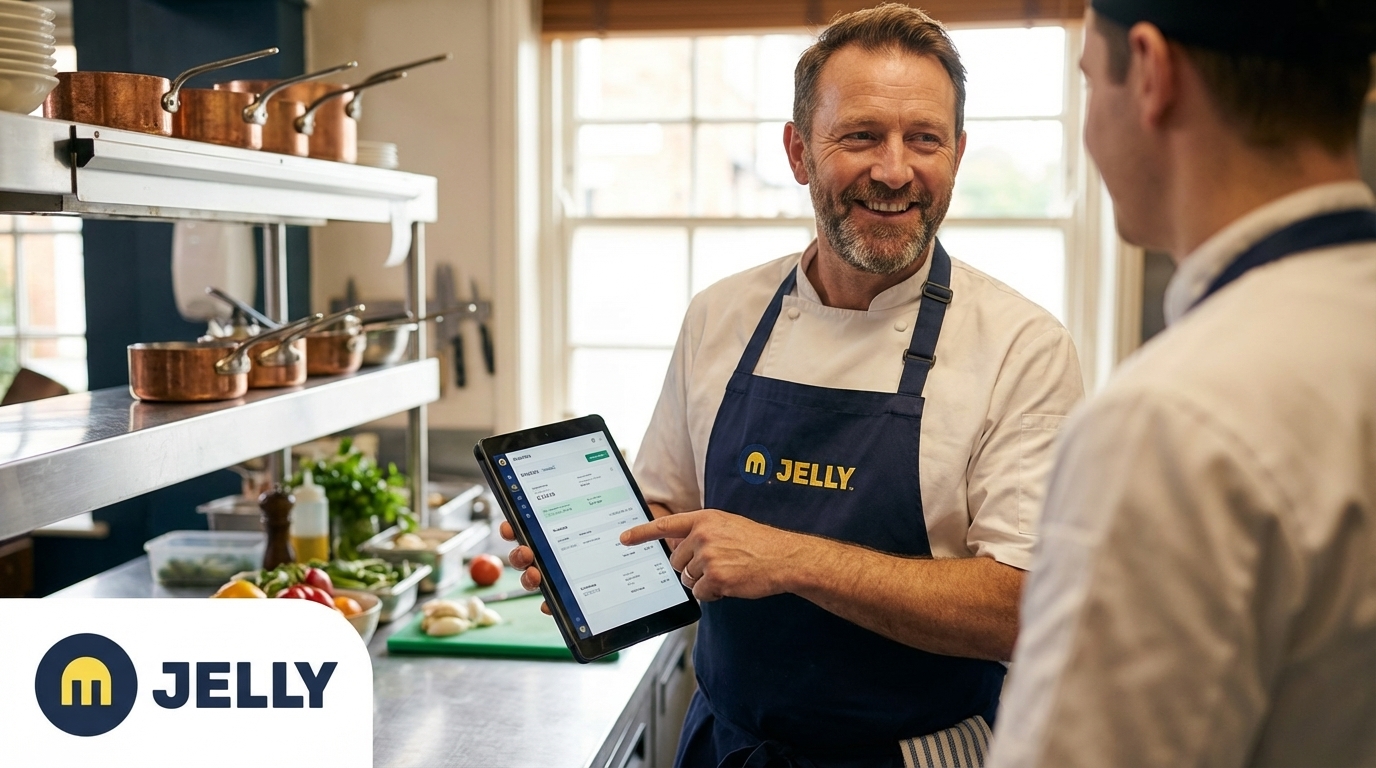
Written by: JJ Tan, Founder, Jelly | Last updated: 22 June 2026
Key Takeaways for UK Hospitality Teams
- UK hospitality businesses lose 10–20 hours weekly to manual invoice processing, which delays price visibility and financial reporting.
- A structured seven-step checklist maps workflows, cleans supplier data, and selects MTD-compliant OCR platforms for accurate VAT line-item extraction.
- Integrating POS systems with invoice automation delivers real-time gross profit reports and can cut bookkeeping time by up to 90%.
- Price-alert thresholds and automated Xero posting support same-week supplier negotiations and consistent 2-percentage-point GP gains within the first quarter.
- See how Jelly replaces manual admin with live margin management in a four-week rollout.
Step 1: Map Your Current Accounts-Payable Workflow
Action: Document every touchpoint in your current invoice process. Capture how invoices arrive (email, paper, delivery note), who handles them, where they are stored, and how they reach your accountant.
Output: A single-page workflow diagram that shows every handoff, delay, and duplication.
Hospitality example: A busy pub kitchen receives 12–25 invoices per week from 6–10 suppliers. The head chef photographs them, a manager re-keys the totals into a spreadsheet, and the accountant reconciles at month end. Three people touch every invoice before it produces any insight.
Pro Tip: Route all invoices through a single dedicated email address before go-live. Fragmented intake, such as individual inboxes, WhatsApp photos, and paper piles, is the single biggest cause of post-launch data gaps. To remove this fragmentation, create an address such as invoices@yourrestaurant.com that becomes the only entry point for supplier invoices. Once the address is live, notify every supplier so they can update their records and start sending invoices to the new address immediately.
Common mistake: Many teams skip this step and assume automation will fix a messy intake process. It will not. Garbage in, garbage out.
Step 2: Clean Supplier Data for VAT Line-Item Compliance
Action: Audit your supplier master data. Verify legal trading name, VAT registration number, bank account details, and contact email for every active supplier.
Output: A clean supplier list with verified VAT numbers and one confirmed invoice delivery method per supplier.
Hospitality example: A boutique hotel with 15 regular suppliers discovers that three are listed under informal trading names that do not match their VAT invoices. This mismatch creates errors during automated extraction and triggers issues at VAT return time.
Why it matters for MTD: All VAT-registered UK businesses, other than those granted an exemption by HMRC, must keep digital records and file VAT returns using functionally compatible software, a requirement in force since April 2022. MTD rules expect every VAT invoice to carry the correct supplier VAT number, VAT rate, and line-item tax amount. The automation platform matches extracted invoice data against your supplier records, so accuracy at this stage directly affects VAT compliance.
Pro Tip: Vendor master data must be cleaned before go-live because automated matching and fraud detection rely on accurate supplier records. Two hours spent here can save weeks of exception handling later.
Step 3: Choose an OCR/AI Platform That Meets HMRC MTD Rules
Action: Select a platform that extracts every VAT line item, including quantity, SKU, unit price, VAT rate, and VAT amount. The platform should push structured digital records to your accounting software without manual re-keying.
Output: A shortlist evaluated against three criteria: MTD-compatible digital record keeping, hospitality-specific line-item extraction, and same-day or next-day onboarding.
Hospitality example: Pattern-learning AI can significantly reduce monthly invoice processing time for a restaurant with regular suppliers once the system has seen a few weeks of invoices.
Where Jelly fits: Jelly captures invoices via email or smartphone photo, digitises every line item, and integrates directly with Xero. Onboarding completes in a single day. Suppliers forward invoices to a dedicated Jelly email address, or the kitchen photographs them into the app, and price alerts go live within 24 hours. Pricing is a flat £129 per site per month with no per-user or per-feature charges.
Pro Tip: Avoid platforms that extract only invoice totals or header-level data. HMRC MTD requires line-item digital records. A platform that captures only the total amount paid will not satisfy a VAT inspection and will not provide the ingredient-level cost data needed for dish costing.
Book a 15-minute demo to see Jelly’s same-day onboarding in action.
Step 4: Integrate Your POS for Real-Time Gross Profit
Once your invoice automation platform is selected and configured, the next step is connecting it to your sales data. Without this integration, you gain accurate cost data but lack the live sales feed required for real-time gross profit.
Action: Connect your POS system to Jelly and map each POS menu item to a Jelly dish recipe.
Output: A live Flash Report that shows gross profit margin calculated from actual invoice costs against real-time POS sales data.
How it works: Connecting any supported POS, such as Square, EPOS Now, Lightspeed, or Toast, takes about five minutes and follows the same flow. Open Jelly, click Integrations, sign in to the POS, grant permissions, then select which categories to sync. The only common friction point is missing POS admin access, so Jelly flags this requirement upfront. Once connected, item-level sales data arrives as soon as each transaction completes.
Hospitality example: A Mediterranean restaurant maps its 40-item menu in one session. From that point, every sale updates the gross profit calculation automatically. Amber restaurant in East London demonstrates the impact of this integration, with savings detailed in the case study below.
Pro Tip: POS-to-dish linking only surfaces items sold after the integration connects, which keeps the mapping clean and free of legacy menu clutter. Complete the mapping in one sitting immediately after connecting. A typical menu takes 20–30 minutes.
Step 5: Push Digitised Invoices into Xero
Action: Enable the Xero integration inside Jelly and configure your nominal codes and VAT treatment for each supplier category.
Output: Every approved invoice posts to Xero automatically with correct coding, which removes manual bookkeeping entry.
The result: Automated invoice posting to Xero shortens the monthly finance close and frees finance teams from repetitive data entry.
Pro Tip: Delaying GL coding automation maintains unnecessary manual processes. Spend 30 minutes mapping your nominal codes during setup and the system handles coding automatically from the first invoice.
Step 6: Set Approval Routing and Price-Alert Thresholds
Action: Configure Jelly’s Price Alert feature to notify the relevant person, such as the head chef, operations manager, or owner, whenever a supplier increases the price of any ingredient above a defined threshold.
Output: Automated notifications that surface price changes in the same week they occur, along with the data needed to negotiate credits or switch suppliers.
Hospitality example: Stuart Noble, Head Chef at Cairn Lodge Hotel, describes the impact directly: “Price hikes were crushing our margins, I felt helpless. With Jelly, every dish cost is up-to-date at my fingertips. We slashed food costs by 5% in a month.”
Pro Tip: Set automatic escalation after 48 hours of inaction on flagged price changes. A price alert that sits unread for two weeks becomes a margin leak. Assign a named owner for supplier negotiations at setup, typically the head chef or operations manager, so every alert has a clear next action.
Schedule a chat to see how price alerts work in a live kitchen environment.
Step 7: Go-Live Checklist and First 30-Day Metrics
Use this checklist to confirm you are ready for go-live, then track the first month carefully to prove the impact.
Go-live checklist:
- All suppliers send invoices to the dedicated Jelly email address or the team photographs invoices on the day of delivery.
- POS integration is connected and all current menu items are mapped to Jelly dishes.
- Xero integration is active with nominal codes configured.
- Price alert thresholds are set and notification recipients are confirmed.
- At least one full week of invoice data is processed before you review the Flash Report.
First 30-day success metrics:
- Price credits claimed: Count how many supplier price increases were flagged, challenged, and resulted in a credit note.
- GP movement: Compare baseline gross profit percentage with the end-of-month figure. Track this weekly to confirm you are following the improvement trajectory Jelly customers typically see.
- Hours saved: Track admin time in week one versus week four, measuring the reduction against your original baseline.
- Bookkeeping accuracy: Compare the number of manual Xero corrections required with your pre-automation baseline.
4-Week Implementation Timeline for Jelly
| Week | Key Actions | Deliverable | Cumulative Margin Impact |
|---|---|---|---|
| Week 1 | Map AP workflow, clean supplier data, set up Jelly account, notify suppliers of new invoice email | Clean supplier list, first invoices processed in Jelly | Price alerts live within 24 hours of first invoice |
| Week 2 | Connect POS, map menu items to Jelly dishes, configure Xero nominal codes | Live Flash Report, invoices posting to Xero automatically | Real-time GP visible, finance team freed from most manual invoice entry |
| Week 3 | Set price alert thresholds, assign notification owners, review first price alerts, initiate supplier negotiations | First credit notes claimed or price holds confirmed | Food cost reduction begins, first measurable GP movement |
| Week 4 | Review 30-day metrics, adjust dish pricing where margins are below target, build delivery menu if applicable | Baseline GP report, hours-saved calculation, credits claimed log | Average 2 percentage point GP improvement trajectory confirmed |
Real-World Results: Amber Lifts Gross Profit from 65% to 72%
Amber, a Mediterranean restaurant in East London run by Chef-Owner Murat Kilic, has used Jelly since 2020 and consistently saves £3,000–£4,000 per month, which equals about 68 times the monthly platform cost. Before Jelly, Murat managed supplier invoices and dish costing manually in spreadsheets. Price changes surfaced slowly, supplier negotiations lacked hard data, and GP was reactive rather than managed.
After Murat implemented invoice automation, price change alerts, and real-time recipe costing, Amber shifted from reactive to proactive margin management. Alerts surfaced price changes in the same week they occurred, which gave Murat the visibility he needed to act immediately. With real-time costings in hand, the decision to hold, switch supplier, or re-price became obvious rather than speculative. Because a single system now handled invoices, pricing, and GP, spreadsheet drift disappeared.
Murat’s summary: “Jelly keeps my business alive.”
One operator improved gross profit from 65% to 72% within 12 weeks on approximately £500,000 in revenue. That shift represents a material cash difference at that revenue scale and can fund a second site.
Frequently Asked Questions
How UK Restaurants and Pubs Automate Supplier Invoices
UK hospitality venues automate invoices by forwarding supplier invoices to a dedicated platform email address or photographing them via a mobile app. The platform uses OCR and AI to extract every line item, including supplier name, SKU, quantity, unit price, VAT rate, and VAT amount, then pushes the structured data to accounting software and recipe costing systems without manual re-keying. Jelly supports both email forwarding and in-app photography, with price alerts and Xero integration active within 24 hours of the first invoice. The process works for PDFs, scanned paper invoices, and supplier-generated PDFs sent directly from procurement systems.
Leading Invoice Automation Tools for UK Hospitality in 2026
Relevant options for UK restaurants, pubs, and boutique hotels fall into three categories. Generic accounts payable tools such as Dext or AutoEntry handle invoice capture but lack hospitality-specific features like dish costing, recipe linking, and POS integration. All-in-one platforms such as MarketMan and Nory offer broader functionality but involve longer onboarding timelines, higher complexity, and higher costs. Jelly is purpose-built for growing hospitality operators at the £500k+ revenue stage. It combines invoice automation, real-time dish costing, POS integration with Square, EPOS Now, Lightspeed, and Toast, and one-click Xero export at a flat £129 per site per month with same-day onboarding. For operators whose primary pain is invoice admin and margin visibility, Jelly delivers value in week one rather than after a multi-month implementation.
VAT Line-Item Extraction and HMRC MTD Compliance
VAT line-item extraction means the automation platform reads and records each individual line on a supplier invoice, not just the total. The system captures the VAT rate applied to each item, the net amount, and the VAT amount separately. This level of detail matters for HMRC Making Tax Digital because MTD for VAT requires digital records that support accurate VAT return preparation, including correct treatment of items at different VAT rates, such as standard 20%, reduced 5%, or zero-rated. A platform that captures only invoice totals cannot distinguish between a zero-rated food item and a standard-rated service charge on the same invoice, which creates VAT errors. Jelly extracts every line item on every invoice, so the data pushed to Xero carries the correct VAT treatment for each line. That capability becomes more critical as HMRC moves toward mandatory structured e-invoicing from April 2029.
Red Flags When Choosing Invoice Automation for Hospitality
Four red flags indicate that a platform does not suit hospitality operations. First, header-only extraction means the platform captures only the invoice total and not individual line items, so it cannot support dish costing or accurate VAT treatment. Second, long onboarding timelines suggest the platform needs weeks of configuration before producing value, which does not match the pace of a working kitchen. Third, per-user pricing creates variable costs that scale with team size, which makes budgeting unpredictable and discourages adoption across the kitchen team. Fourth, no POS integration forces gross profit calculations to rely on manual sales data entry, which reintroduces the admin burden the platform should remove. A platform purpose-built for hospitality should be live within 24 hours, extract every VAT line item, connect to your POS in under five minutes, and charge a predictable flat rate.
Conclusion: Move from Manual Admin to Live Margin Management
The seven steps above provide a complete, repeatable path from manual invoice chaos to live margin management. Map your workflow, clean your supplier data, select an MTD-compliant OCR platform, connect your POS, push invoices to Xero, set price alert thresholds, and measure the results at 30 days. The timeline is four weeks. The prerequisites are a supplier email inbox, Xero admin access, and a supported POS.
Jelly offers a low-friction route through all seven steps. Same-day onboarding, flat-rate £129 per site per month, and native integrations with Square, EPOS Now, Lightspeed, and Toast mean there is no lengthy implementation project and no unpredictable cost. Operators consistently report the admin time savings and GP improvements identified in the success metrics above, with most reaching target within the first quarter.
The four-week clock starts when the first invoice hits your Jelly inbox.